
Test every experience. ship what wins.
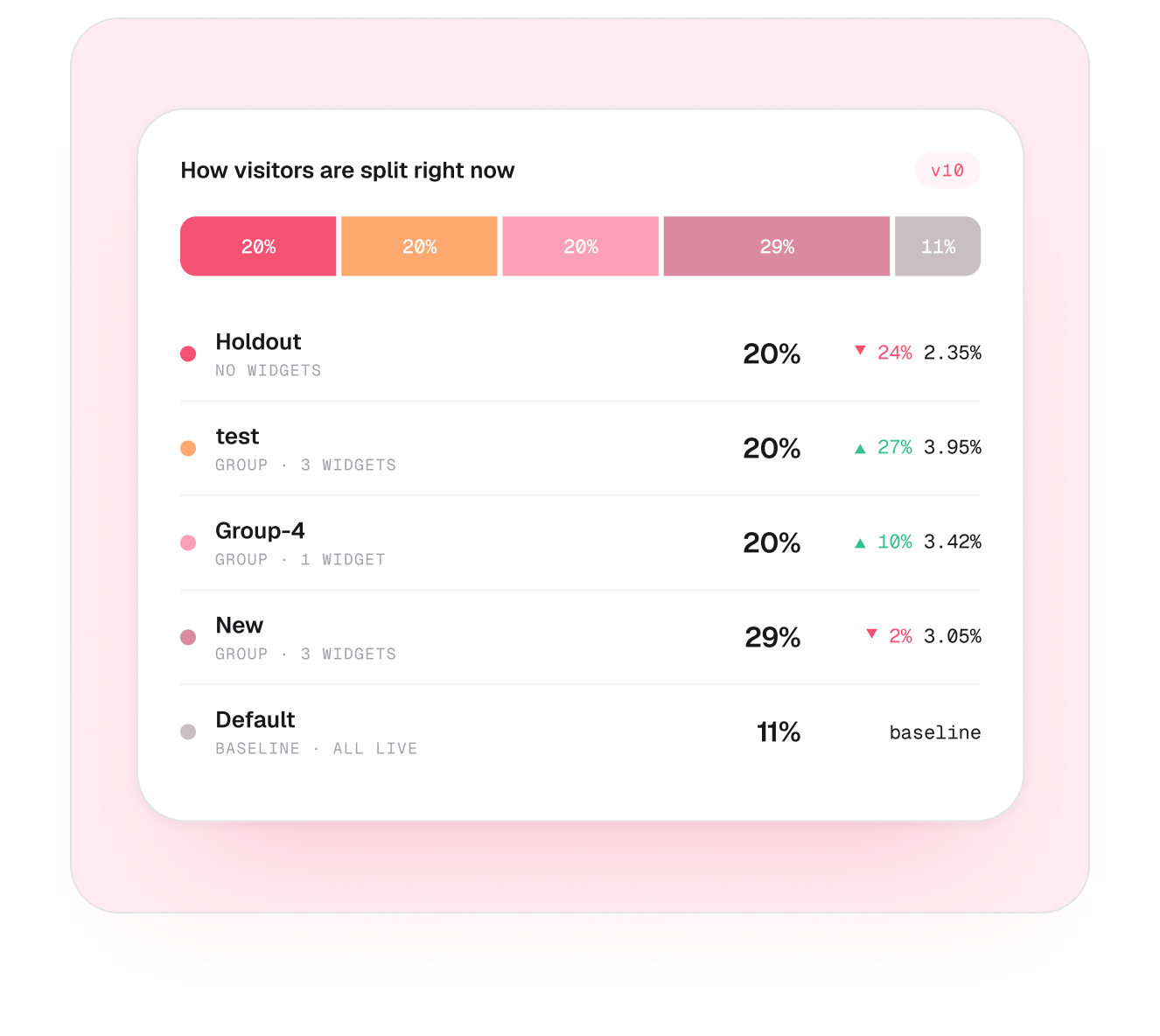
Split your live traffic into groups, give each a different mix of widgets, and measure which one actually performs better — decisions backed by data, not guesses.
Trusted by 4000+ brands, globally





THE NUMBERS
Less work, more moving emails.
CVR
SETUP
How it works
Split, measure, roll out the winner.
A fair experiment that runs itself — every visitor counted, every group compared.
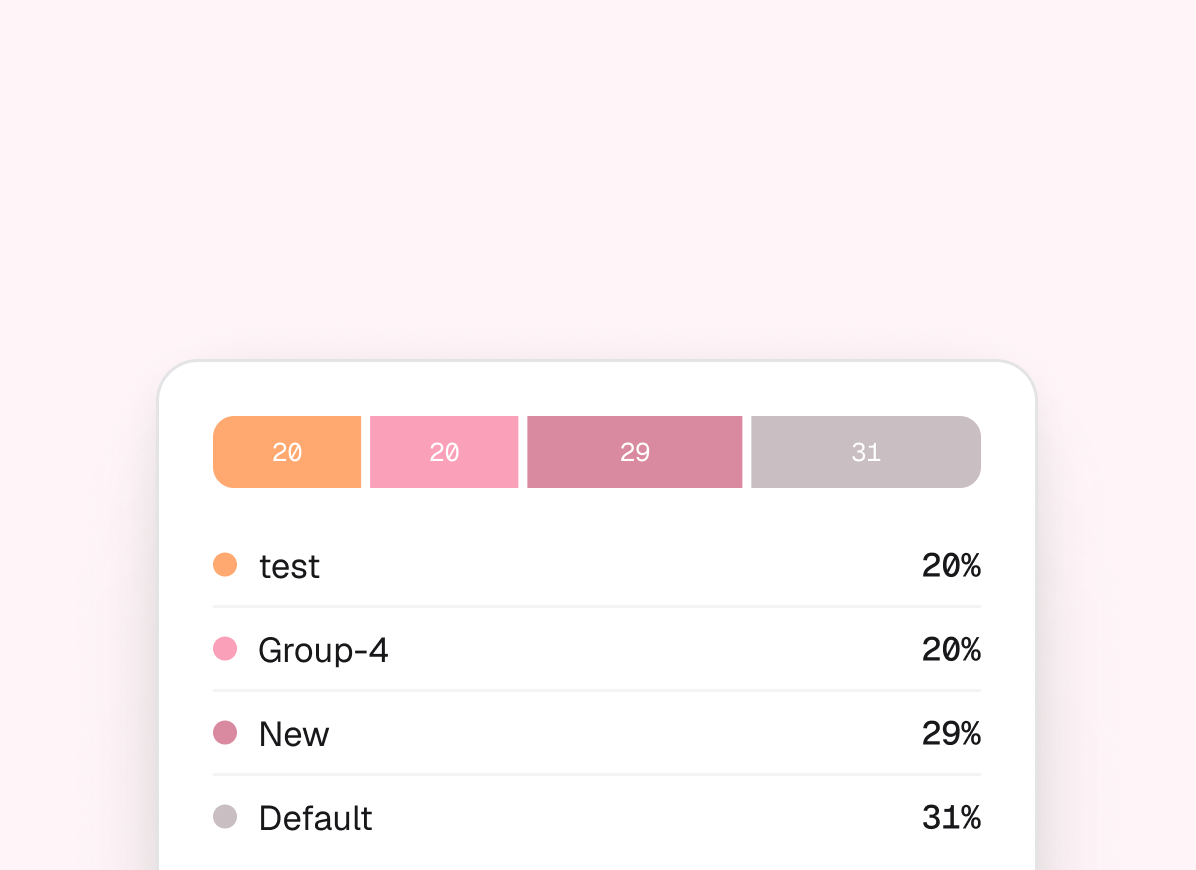
Split traffic into groups
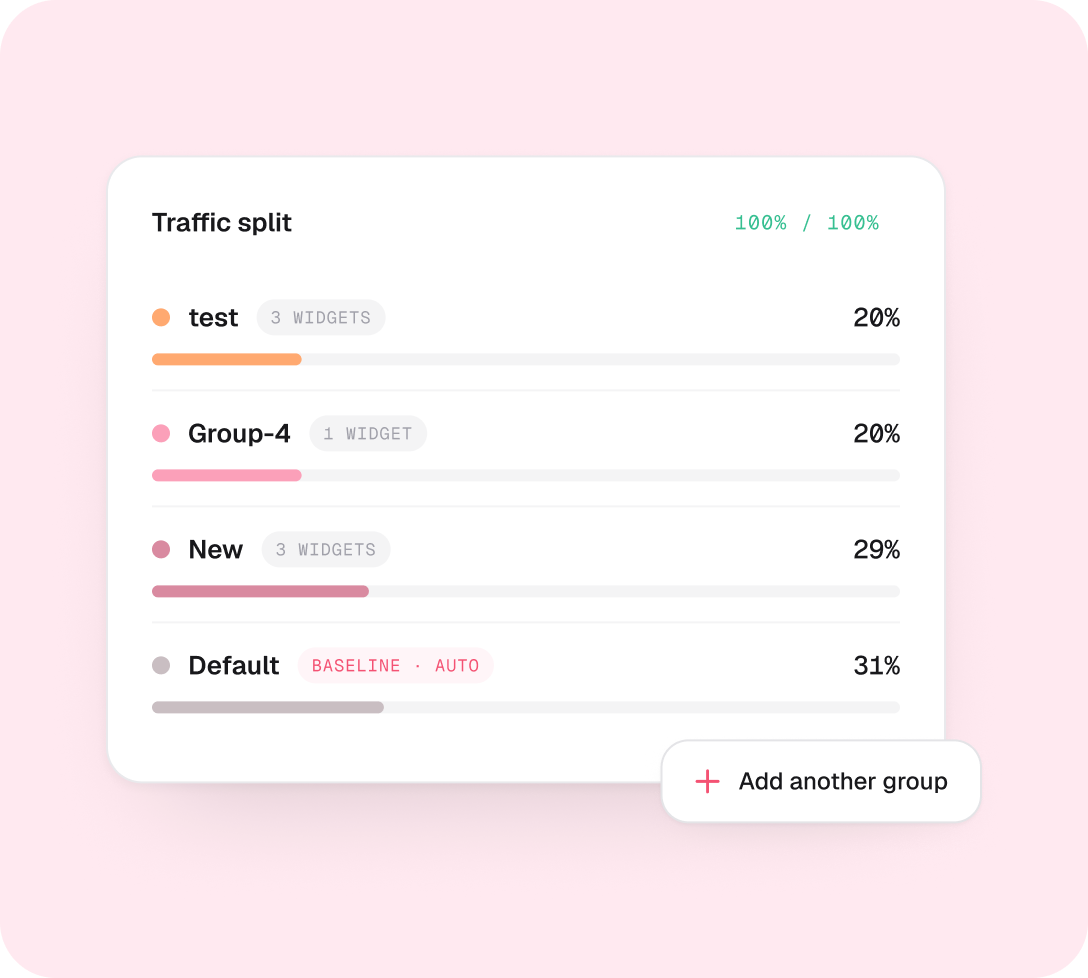
Set a share for each group and give it a different mix of widgets. Default is the control — it automatically takes whatever’s left.
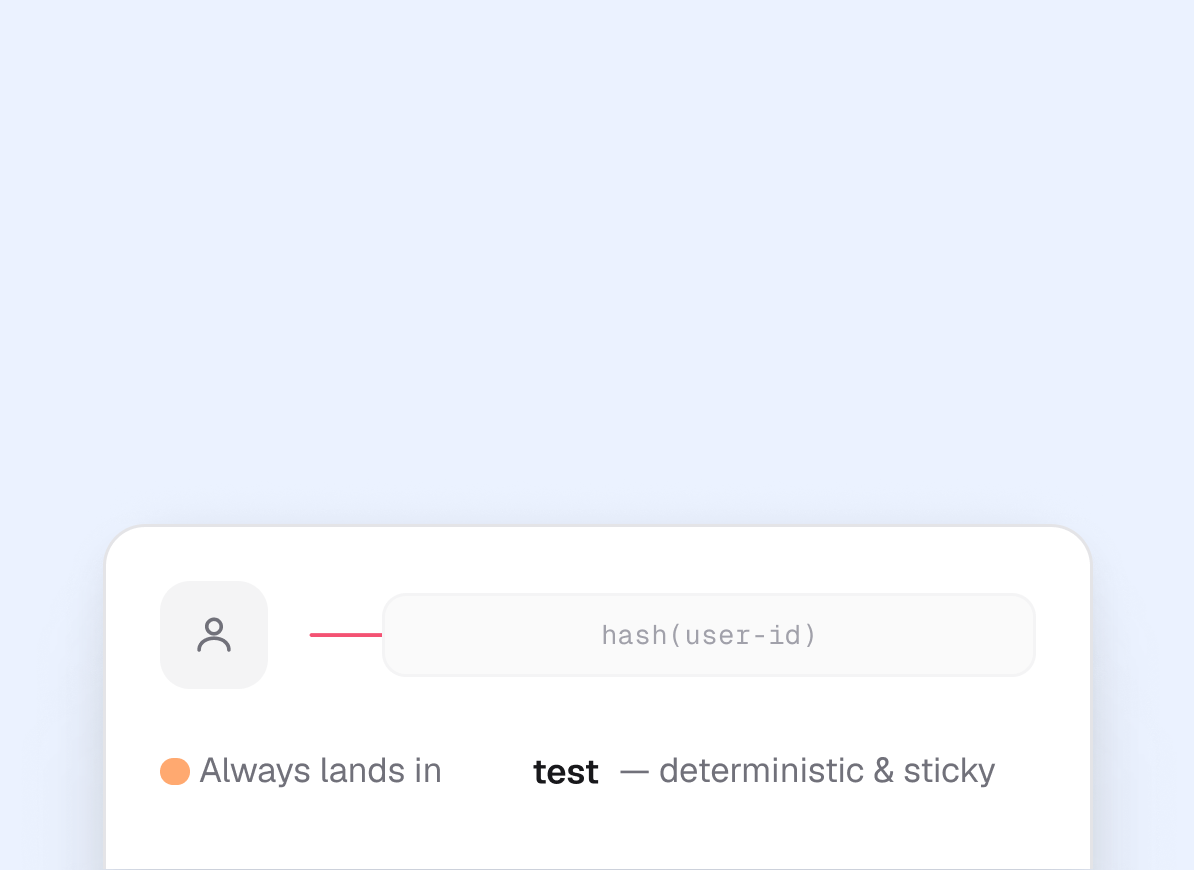
Visitors are bucketed consistently
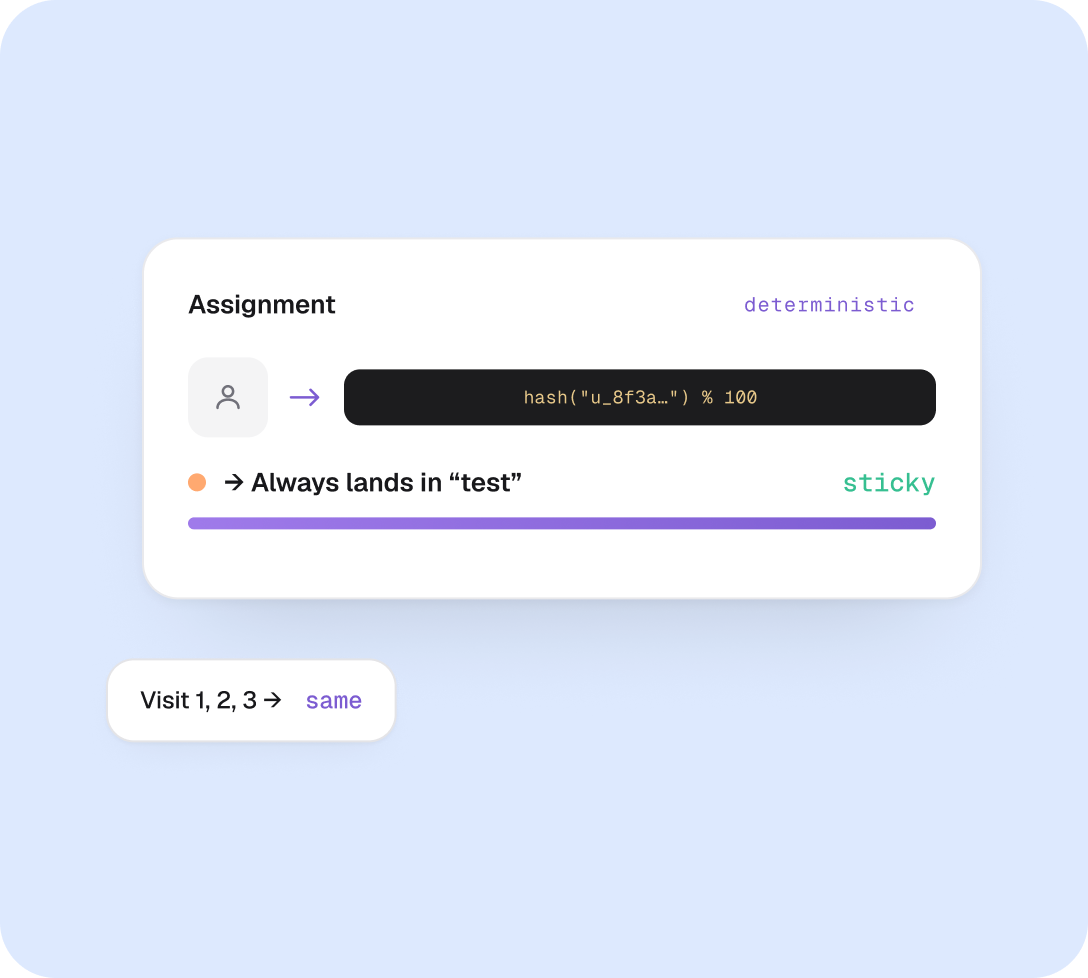
Each visitor is randomly but consistently placed into one group — the same visitor always sees the same version, so the comparison stays fair.
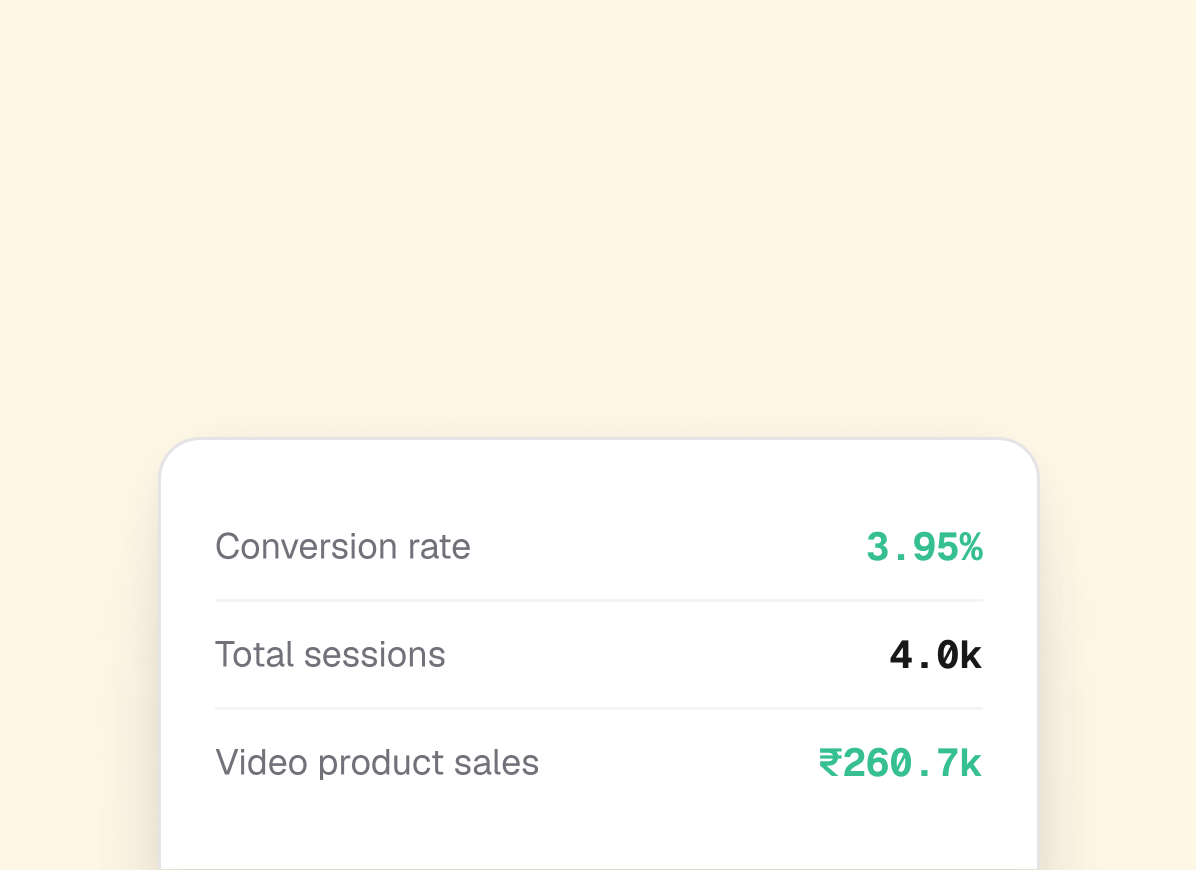
Measure & roll out
Track conversion, sessions and sales for every group. Run it long enough to reach a clear winner, then roll out what wins.
Why it works
An experiment that’s always on.
No start, no stop — just keep refining the split and let the data accrue.
Always running
Always on, with Default built in
Your A/B test is always running — there’s no start, stop or resume. A Default baseline comes preconfigured, and it automatically takes whatever traffic your groups don’t use, so the split always totals 100%.
Brands use this for
- Add as many groups as you want
- Set a custom weight for each one
- Default soaks up the remainder, automatically
Per-group widgets
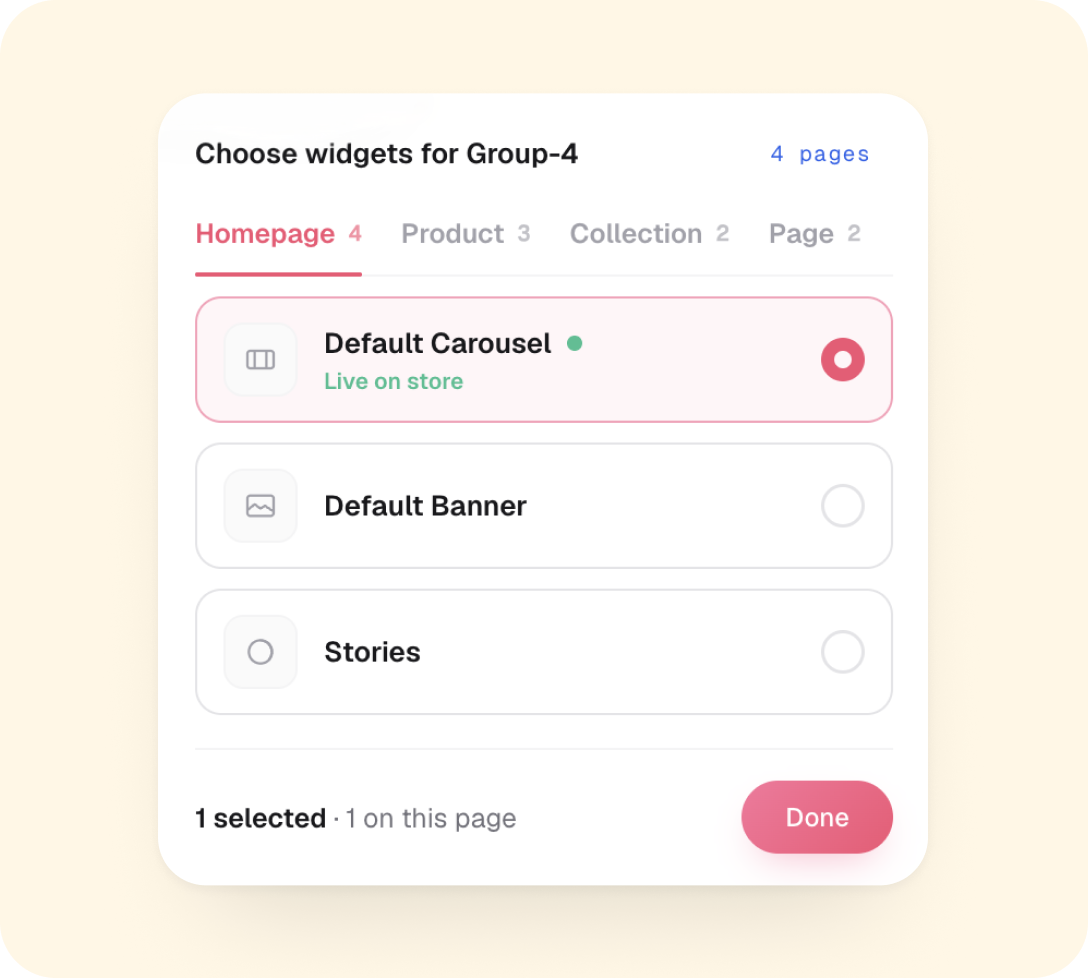
Pick exactly what each group sees
Choose which widgets a group’s visitors get — across Homepage, Product, Collection and Page placements. A green dot marks what’s already live on your store, and a group with no widgets selected simply becomes a holdout.
Brands use this for
- Isolating one widget at a time to see its impact
- Reusing live widgets without rebuilding them
- Mixing placements per group to find the best combo
Holdout
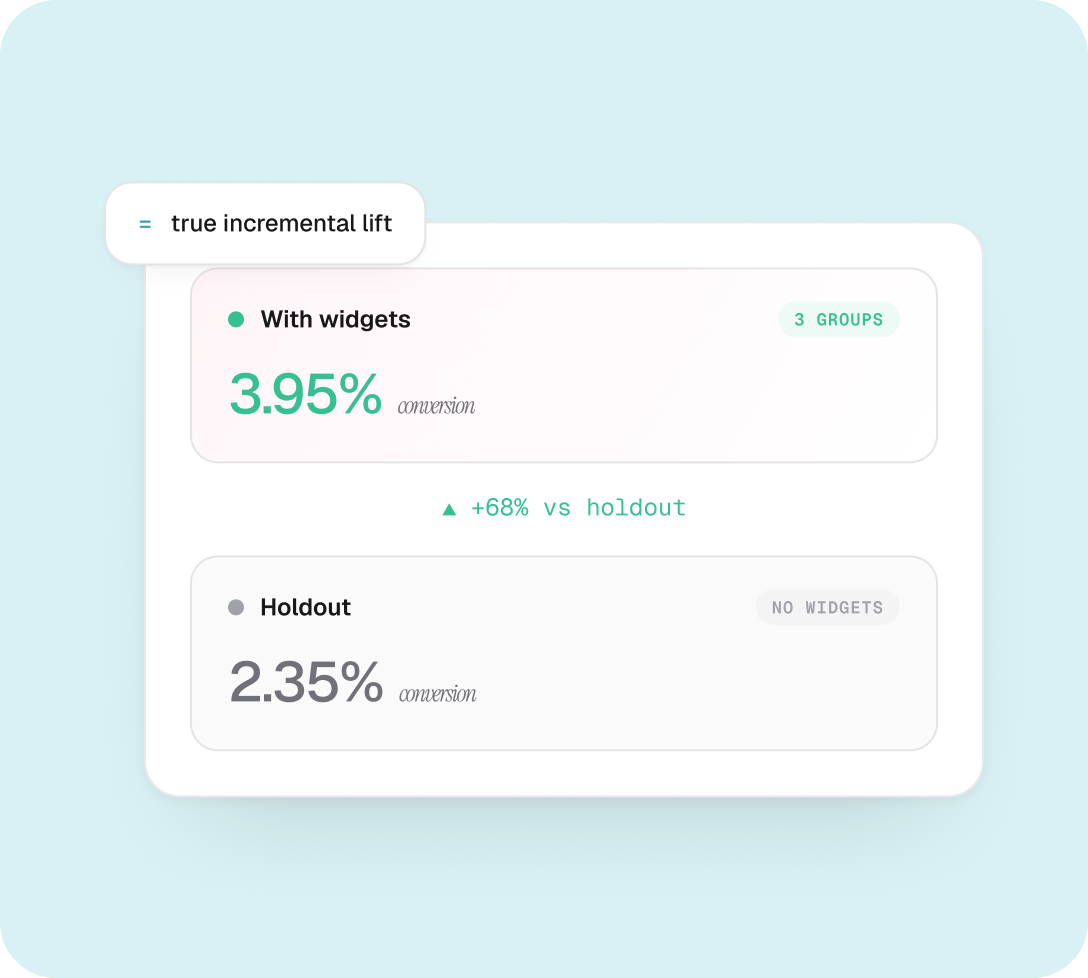
Prove the true impact of widgets
Add a Holdout — a group that sees no widgets at all. It’s the cleanest read you can get: the real difference between having your shoppable videos live and not having them.
Brands use this for
- Measuring widgets vs no widgets
- Quantifying incremental lift, not just relative
Fair by design
Same visitor, same version — always
Visitors are bucketed by a hash of their user-id, so assignment is deterministic and sticky. The same shopper always sees the same version — your comparison stays clean and apples-to-apples.
Brands use this for
- No flicker between versions on repeat visits
- Re-bucketed instantly when you change the split
Holdout
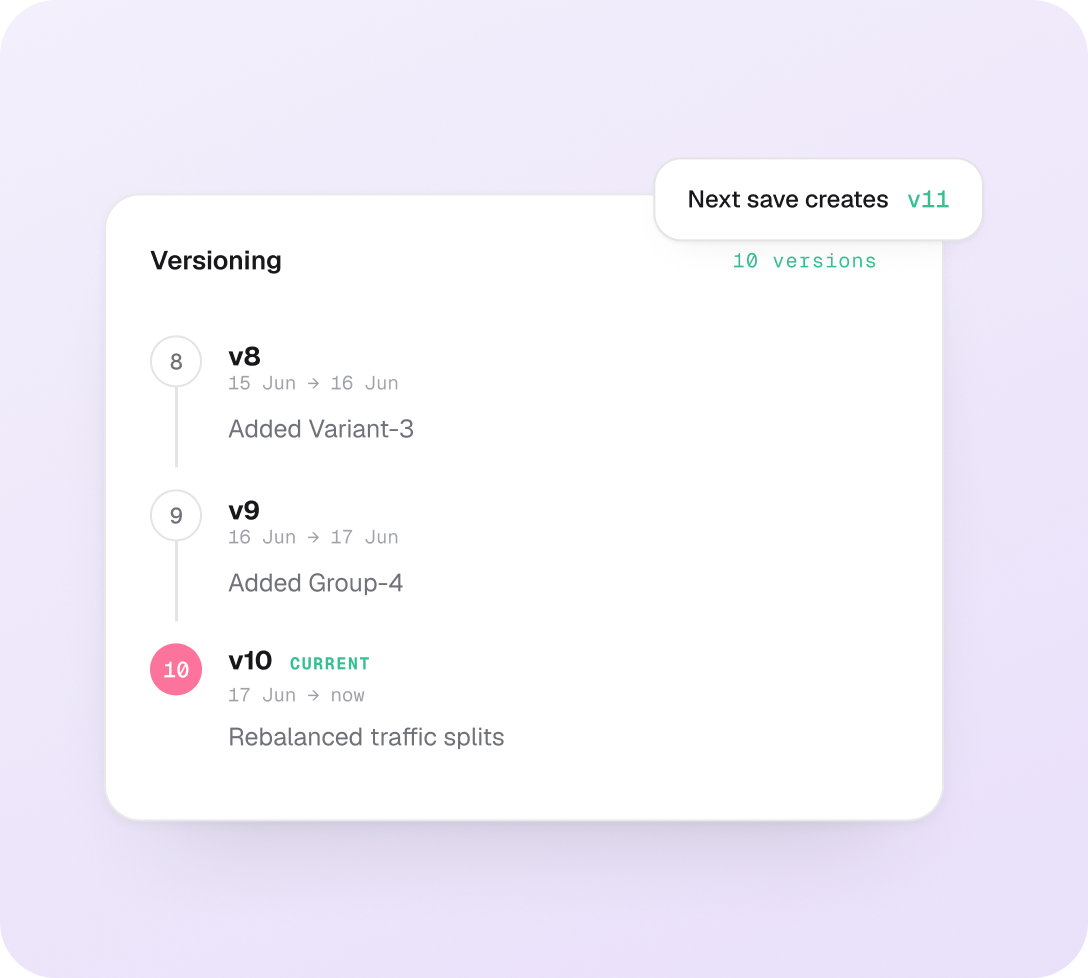
Every edit is a new version
Change groups, splits or widget assignments anytime — we save the new setup as a version and start tracking from zero. Older versions stay archived so you can look back and compare what worked.
Brands use this for
- Each version tracks analytics fresh, from zero
- Past versions stay viewable for comparison
- Goes live immediately — no separate publish step
Learn A/B testing from the ground up.
Everything you need to run your first experiment, read the results, and ship with confidence.

A/B Testing - full guide
Set up groups, assign weights, pick widgets per group, and read results.

How holdout groups work
Measure true incremental lift by comparing widget variants against zero widgets.

Versioning & editing a live test
Set up groups, assign weights, pick widgets per group, and read results.
AND THERE'S MORE


