
Every widget, styled your way.
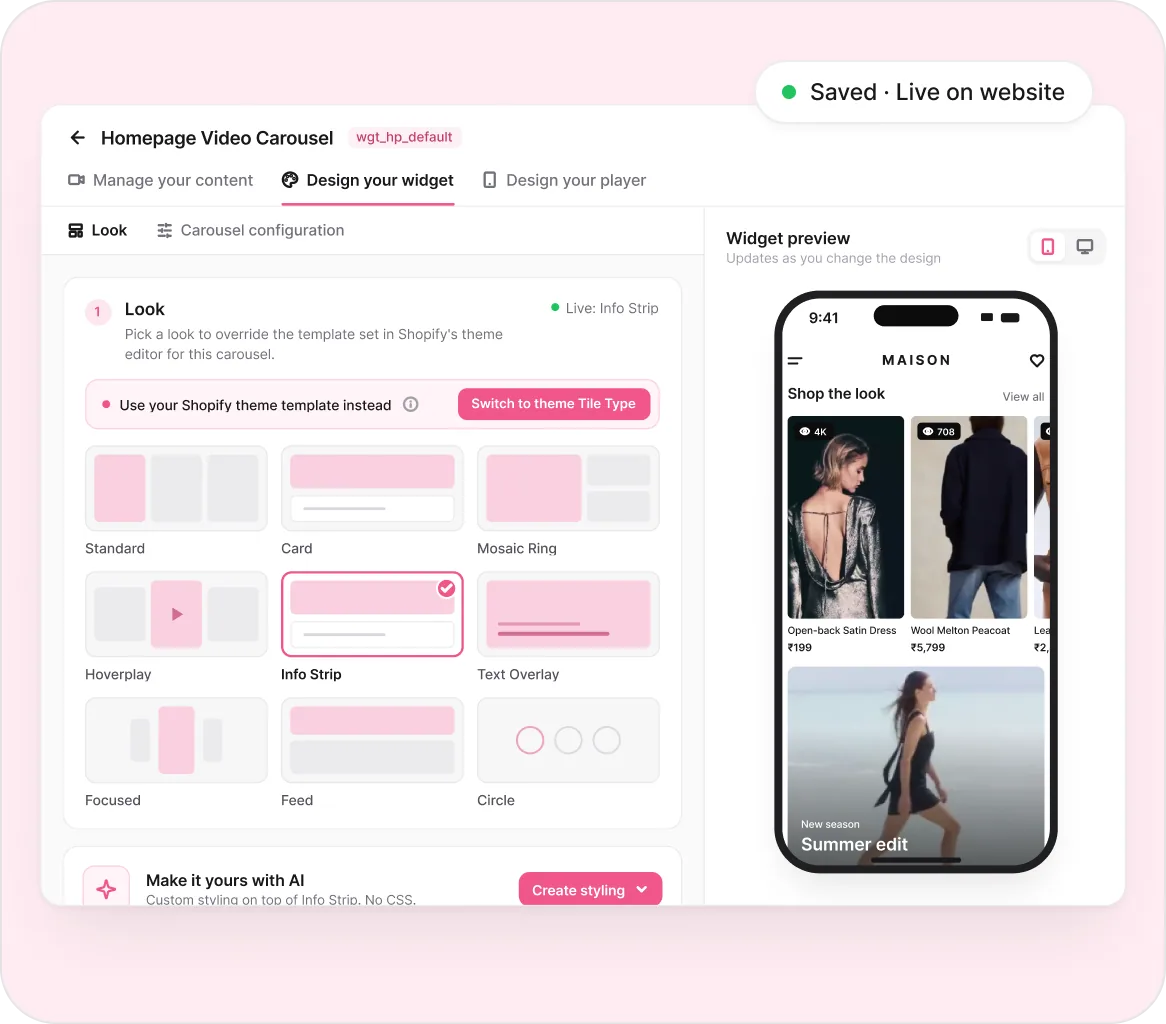
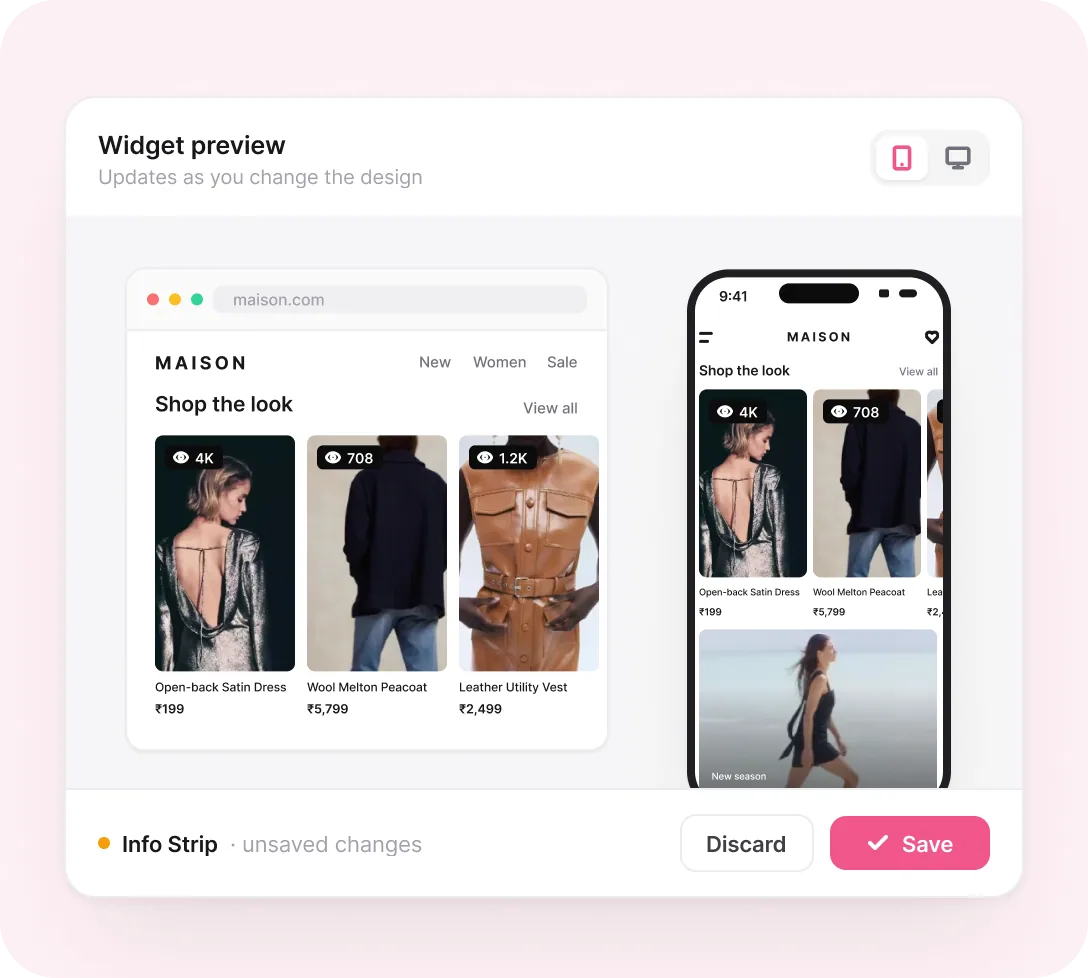
Each Whatmore widget now has its own editor. Pick a look, watch it update in the mobile or desktop preview, and save to go live. No theme editor, no CSS.
Trusted by 4000+ brands, globally





HOW IT WORKS
Three tabs,
one editor.
Every widget opens into the same three steps, from the videos it shows to the player shoppers tap into.
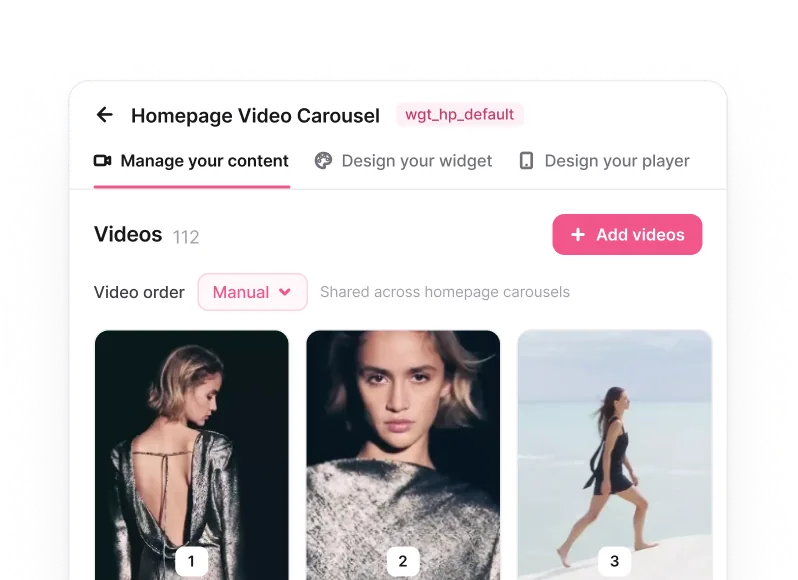
Manage your content
Add, reorder or remove videos and see the live order exactly as it sits on your store. Product pages get per-product control.
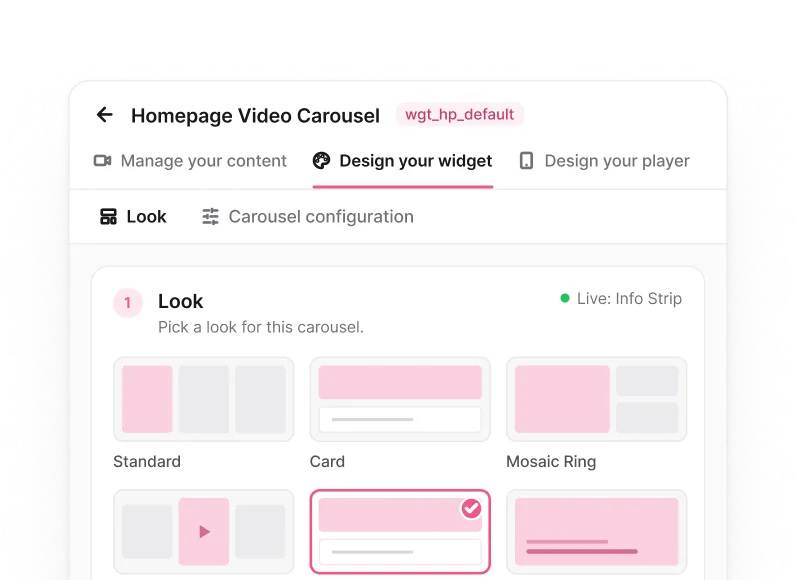
Design your widget
Pick from 14 looks: Standard, Card, Mosaic, Coverflow, Circle and more. The preview updates the moment you click.
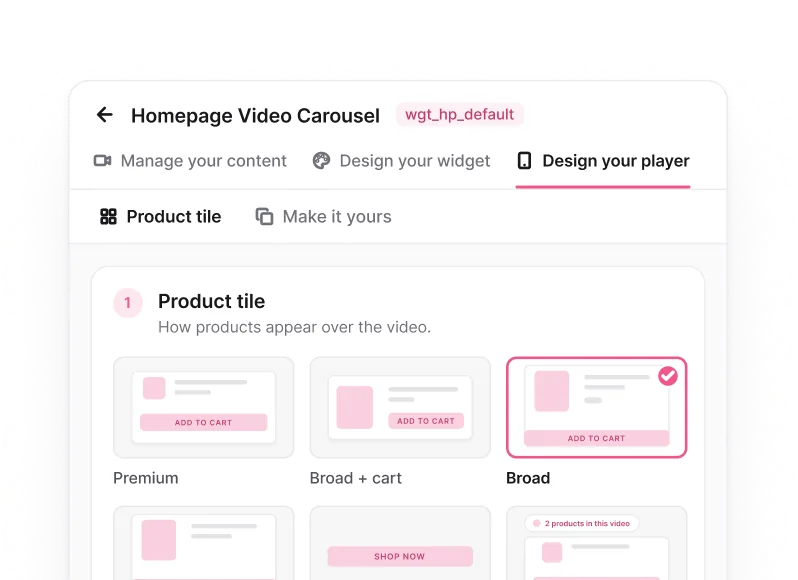
Design your player
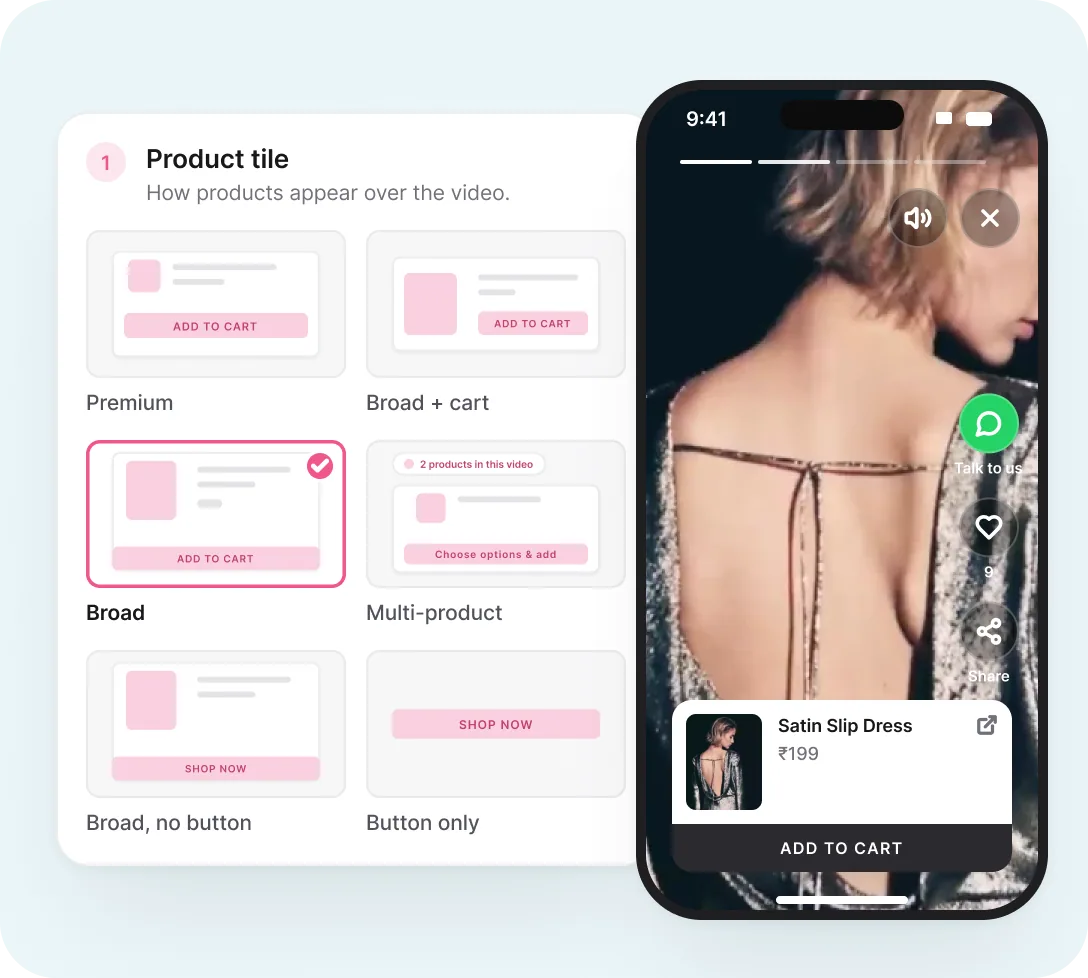
Choose how products sit over the fullscreen video, from a single Shop Now button to a multi-product tile.
WHY IT WORKS
Your brand's look, without the dev ticket.
Templates to start, AI to finish, and your Shopify theme still one click away.
Templates + live preview
14 looks, previewed before they go live
Every look renders in the mobile or desktop preview with your real videos and products, so what you approve is what shoppers see. Save, and it is live.
What you get
- Standard, Card, Mosaic, Coverflow, Circle and 9 more
- Mobile and desktop preview, one toggle apart
- One click to save and push live
Make it yours with AI
Custom styling, no CSS knowledge needed
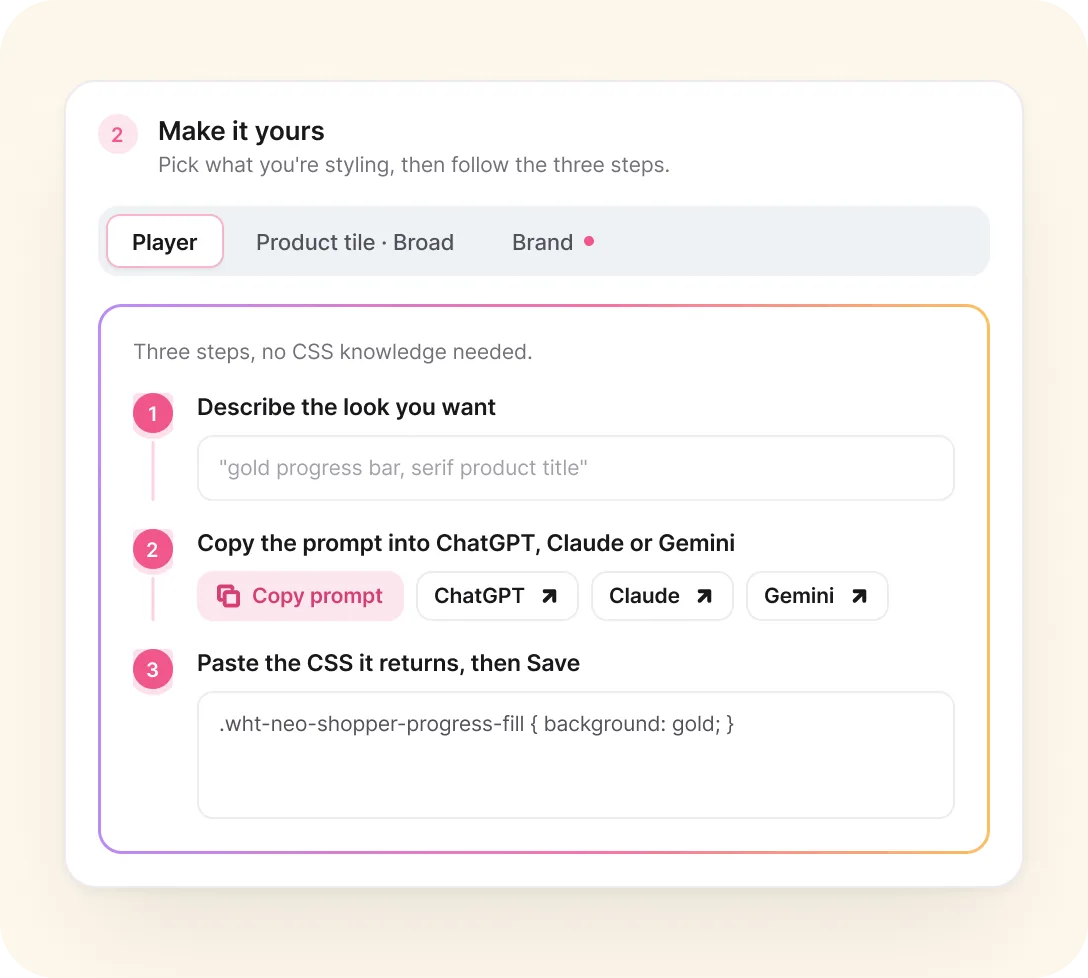
Describe the look in plain words. We build the prompt from your words plus the widget's selectors and current look. Paste it into ChatGPT, Claude or Gemini, then drop the CSS back in.
How it works
- Attach your Figma file or brand guide for a closer match
- Style the player, the product tile or brand-wide values
- Layers on top of any template look
Fullscreen player
A player that sells, styled to match
Choose how products appear over the video and see it inside the exact player shoppers get after tapping a widget.
Brands use this for
- 7 product tile layouts, from Premium to Navigation
- Multi-product tiles for full looks and bundles
- Add to cart without leaving the video
Theme stays in control
Override the theme, or don't
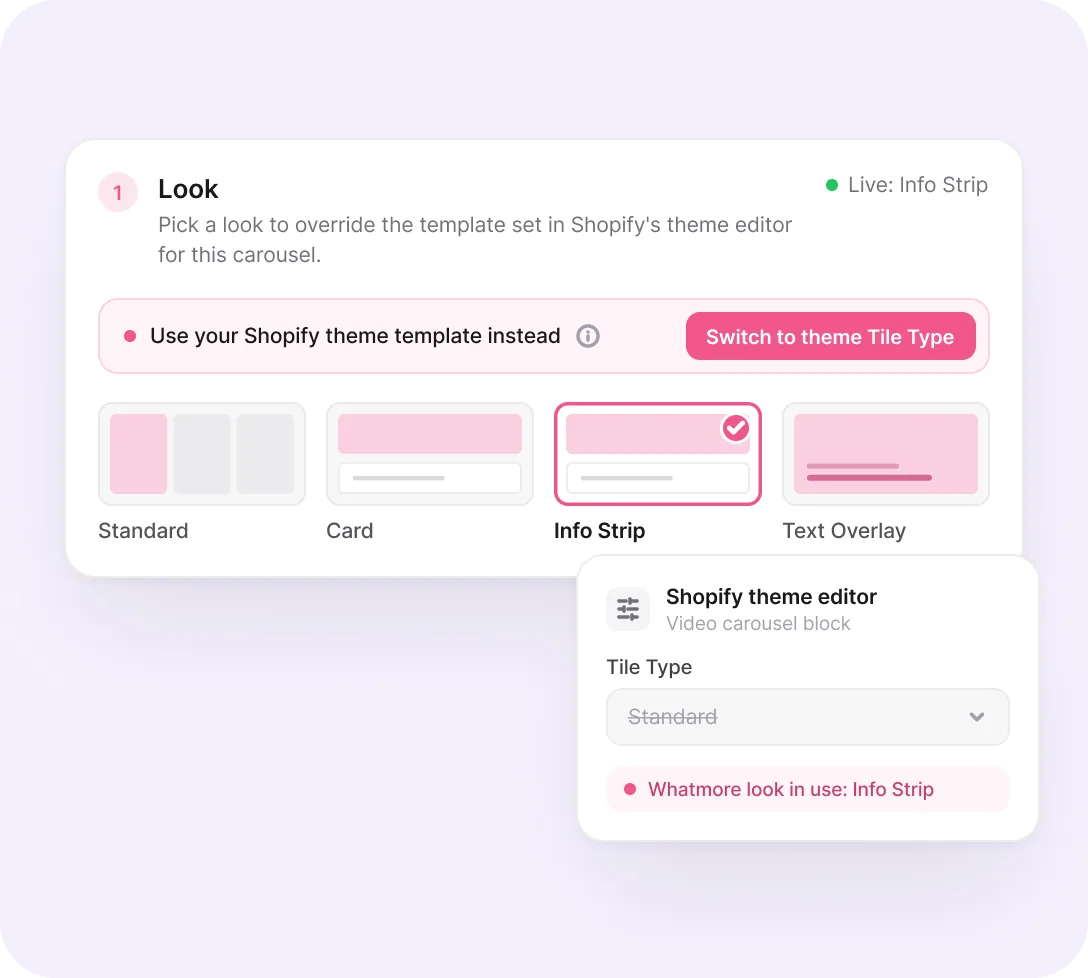
A look picked here overrides the Tile Type set in Shopify's theme editor for that carousel. Want the theme to lead again? Switch to theme Tile Type in one click.
What you get
- Per-carousel override, never store-wide
- Live status shows which look is running
- Theme settings stay untouched underneath
Every page, one view
See what's live on every page
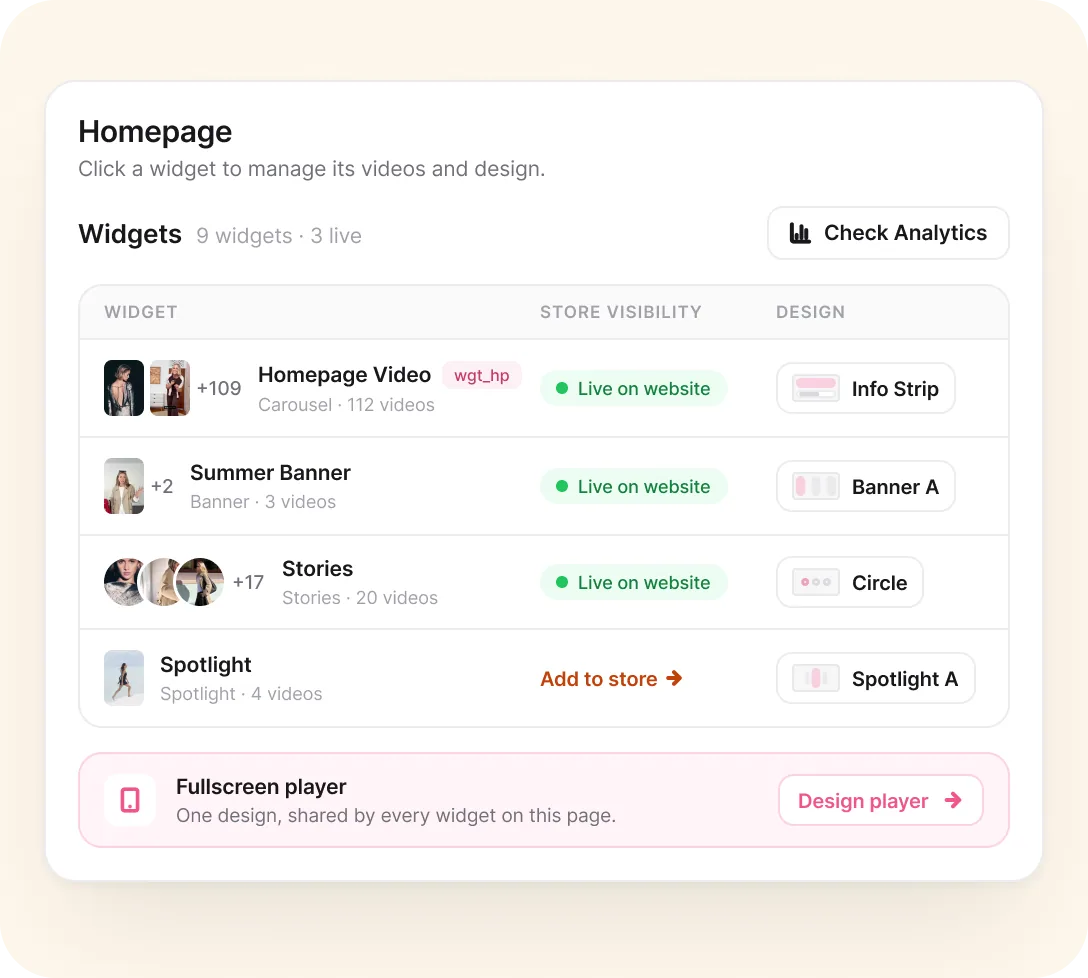
Homepage, product pages and collections each list their widgets with video count, store visibility and design, so you know what shoppers see before opening your store.
What you get
- Live on website or Add to store, at a glance
- Per-product video control on product pages
- PageSpeed handled for every widget
Product & collection pages
Every product page in one list
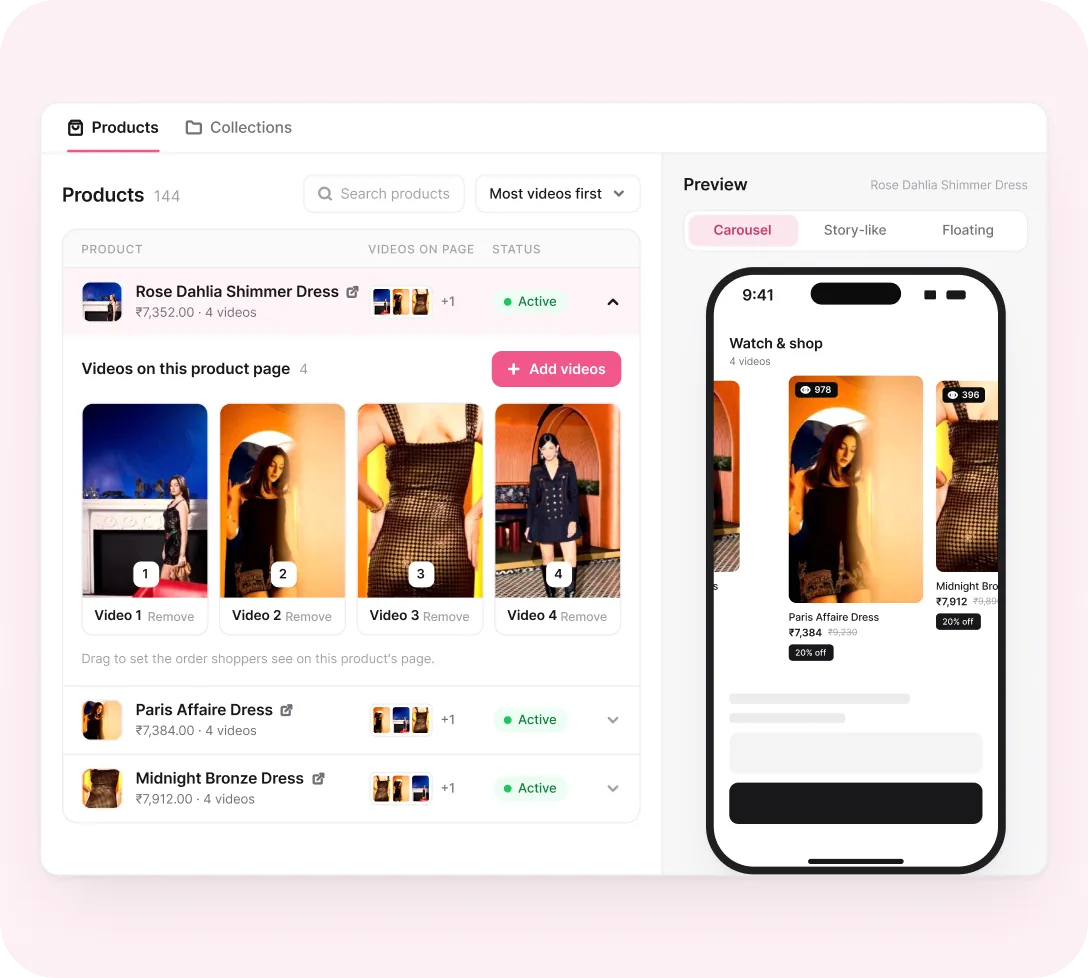
Manage videos for every product and collection from one list. Open a product to see its playlist, preview it on that page, and compare carousel, story-like and floating to see what works best.
What you get
- Products and collections, managed in one place
- Live preview for any single product
- Compare carousel, story-like and floating
Already set up? Nothing moves.
The Customizations tab keeps every original section exactly where it was. The new editor sits on top, for any widget you open.
AND THERE’S MORE


